Drop a file. Get Markdown. Done.
A free, open-source desktop app for Microsoft's markitdown.
Drag any file or paste a URL, and it converts and saves straight to your
Downloads folder. No manual export step, no CLI required.
Unofficial, open-source, not affiliated with Microsoft.



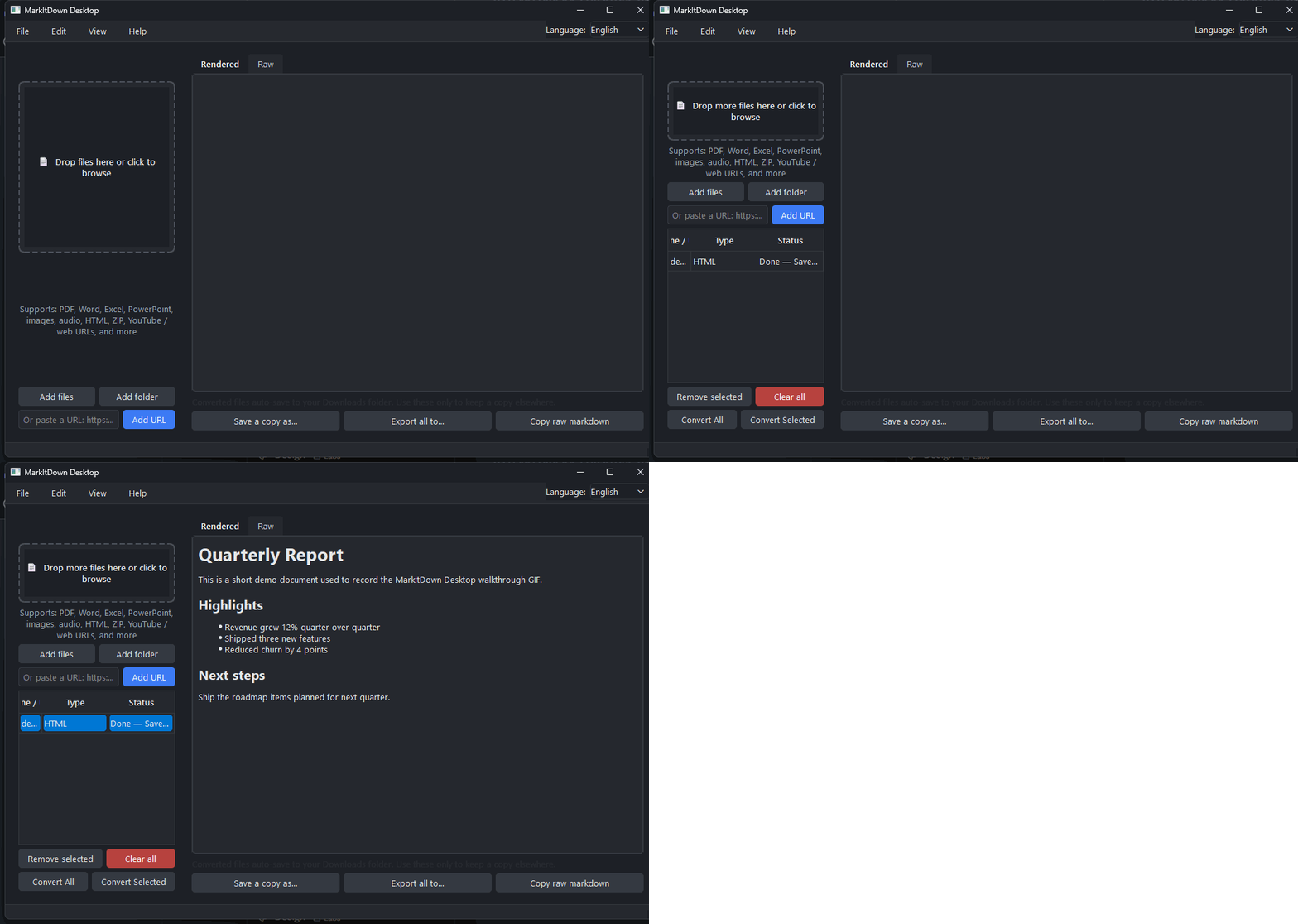
Why this exists
markitdown itself is a command-line tool: you run it, redirect output, manage files yourself. This wraps the same engine with no export step. Drop a file and the .md lands in Downloads the moment it converts.
Auto-saves to Downloads, always
The moment a file finishes converting, the .md lands in your Downloads folder under its original name. Name collisions get a safe numeric suffix instead of overwriting anything. No export dialog to remember.
Live preview
Rendered or raw Markdown, editable before saving a copy elsewhere.
Light & dark themes
Follows your system automatically, or switch manually.
English & Spanish
Switch live from the menu bar, no restart needed.
Advanced options, out of the way
Plugins, Azure Document Intelligence, and format hints live in a separate settings dialog.
How it works
Drop a file
Or click the drop zone to browse, or paste a URL.
It converts
Runs in the background. The interface never freezes, even on large batches.
Find it in Downloads
The .md file is already there. Double-click the row to open its folder.
Supported formats
Anything markitdown supports:
 PDF
PDF
 Word
Word
 Excel
Excel
 PowerPoint
 Images (EXIF / OCR)
 Audio (transcription)
 HTML
HTML
 CSV
CSV
 JSON
JSON
 XML
XML
 ZIP archives
 EPub
EPub
 YouTube URLs
 Web pages
Install & run
Grab a ready-to-run build for your platform, or run from source.
Windows

Installer or standalone .exe, no Python required.
macOS

Packaged app bundle, zipped.
Linux

Packaged app bundle, zipped.
Run from source
For contributors or other platforms. Requires Python 3.10+.
git clone https://github.com/andrest04/markitdown-desktop.git
cd markitdown-desktop
python -m pip install -r requirements.txt
run.bat
git clone https://github.com/andrest04/markitdown-desktop.git
cd markitdown-desktop
python3 -m pip install -r requirements.txt
./run.sh